See the new floor in your room before the first box is opened.
Drag the handle. Tap a floor. This is a real room — the only thing that changes is the floor. Then send us your room and we'll build the same preview for you.
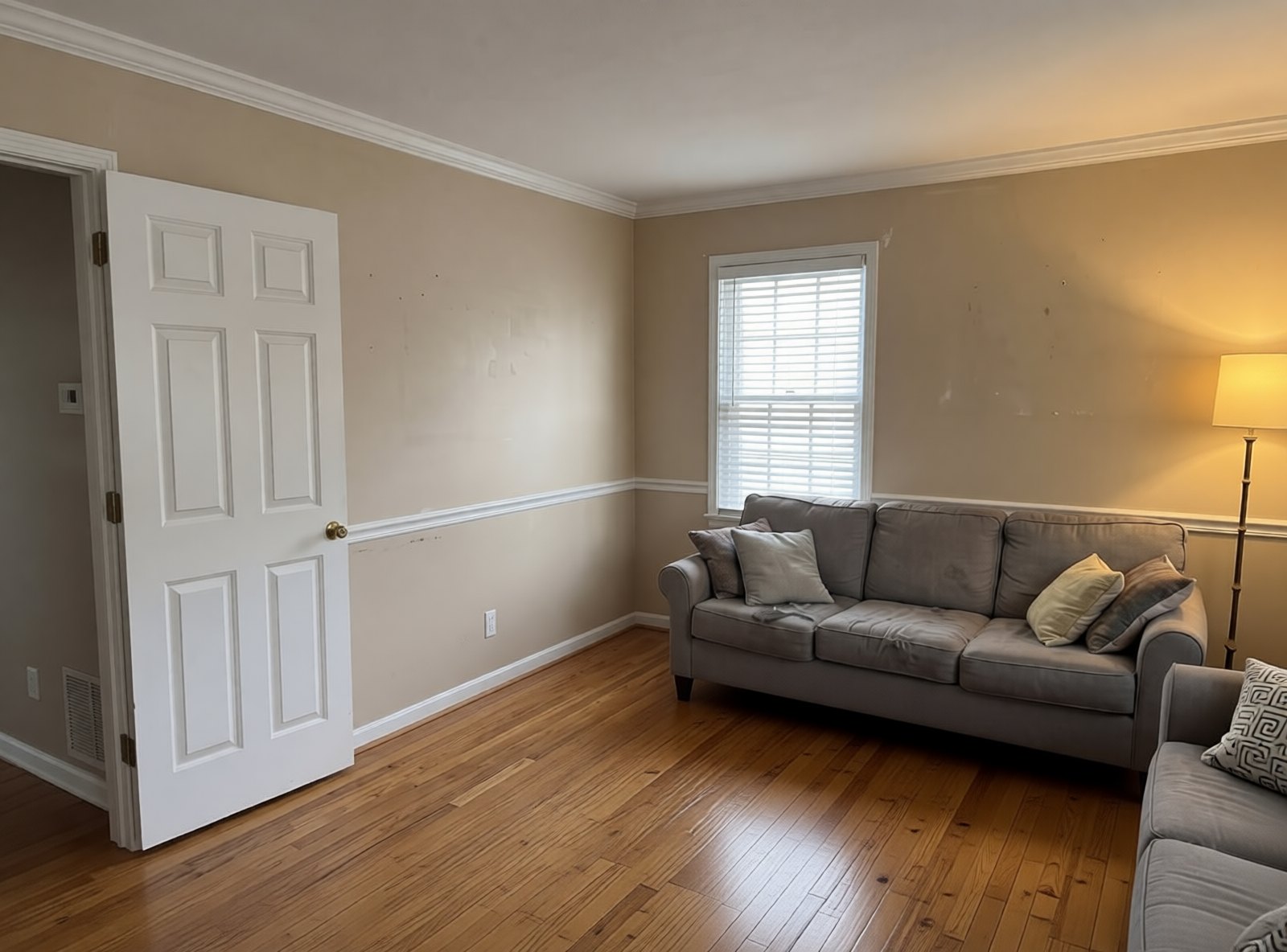
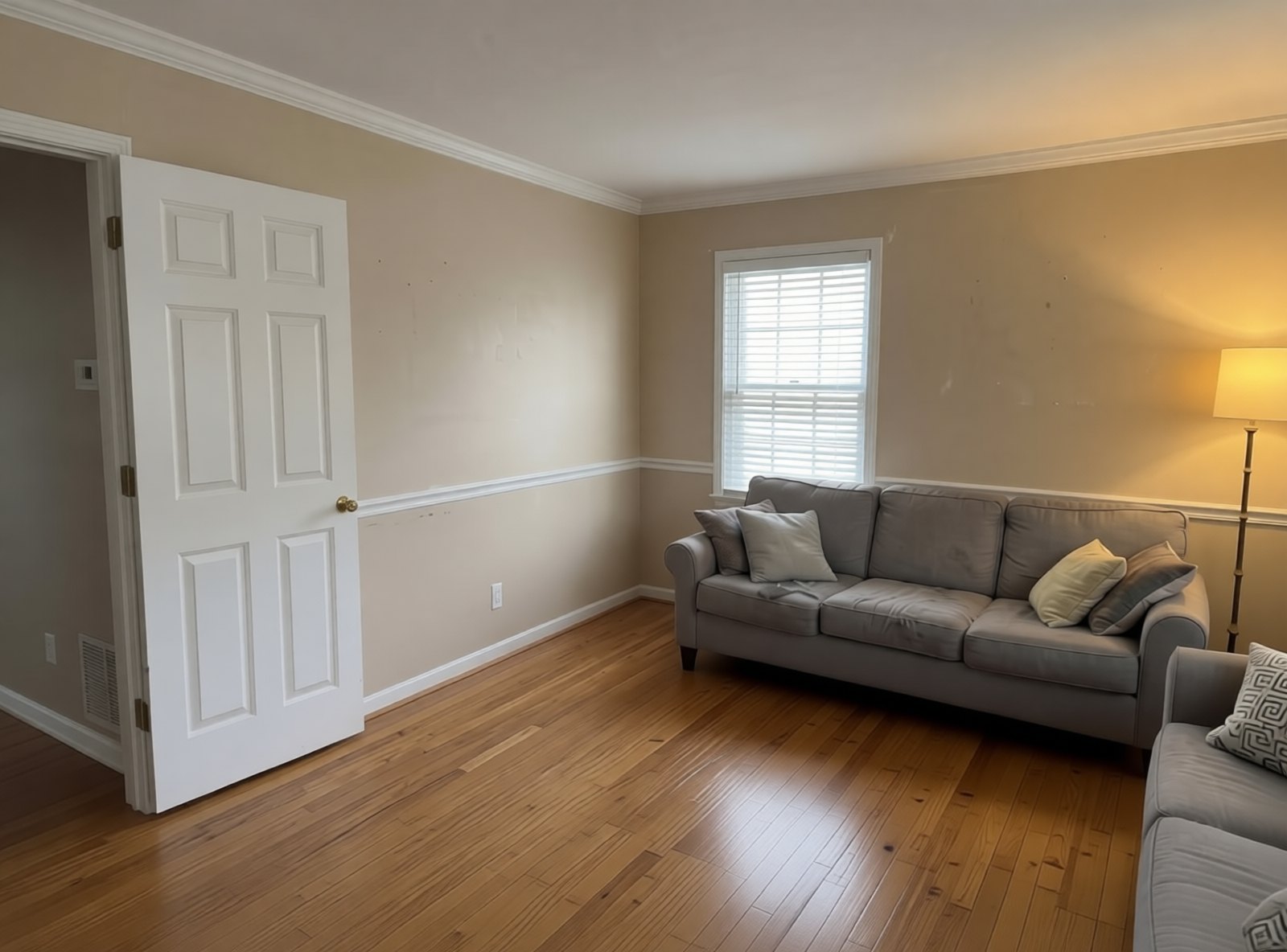 After · Oak
Before
After · Oak
Before
Finish the form below and we'll build your floor preview.
Visual direction only. Not a measurement, subfloor finding, product availability check, or price.
Now do it on your room.
One photo of the room. We build the preview with your floor choice and reach out to walk through it. No account, no app.
How it works
Pick the actual floor.
Live-checked from Home Depot Macedonia #3824 and Lowe's Brooklyn. Tap one and it goes on your preview request so the contractor quotes the exact product you saw.
Prices are dated retail references for the stores named, per case unless marked, before tax, delivery, underlayment, trim, removal, or labor. Not stock, not a quote.
 For flooring contractors
Put FloorSwipe on your own website — with a number that rings your phone.
Your homeowners see their own room re-floored on your site. Every preview request is a warm lead with a photo and a floor already chosen. We install it under your brand, wire the lead flow to your phone and inbox, and set up your tracking number.
Or email hello@swipeos.ai · One contractor per area.